

Overview
Agents, or AI Agents, are the fundamental building blocks of a multi-agent system. Each agent acts as a dedicated proxy for an LLM. It comes with its own set of tools and context, allowing it to carry out a specific responsibility within the system. In this analogy, the LLM is the agent’s brain, the tools are its hands, and the context is its eyes—together enabling the agent to understand the situation and take the right actions.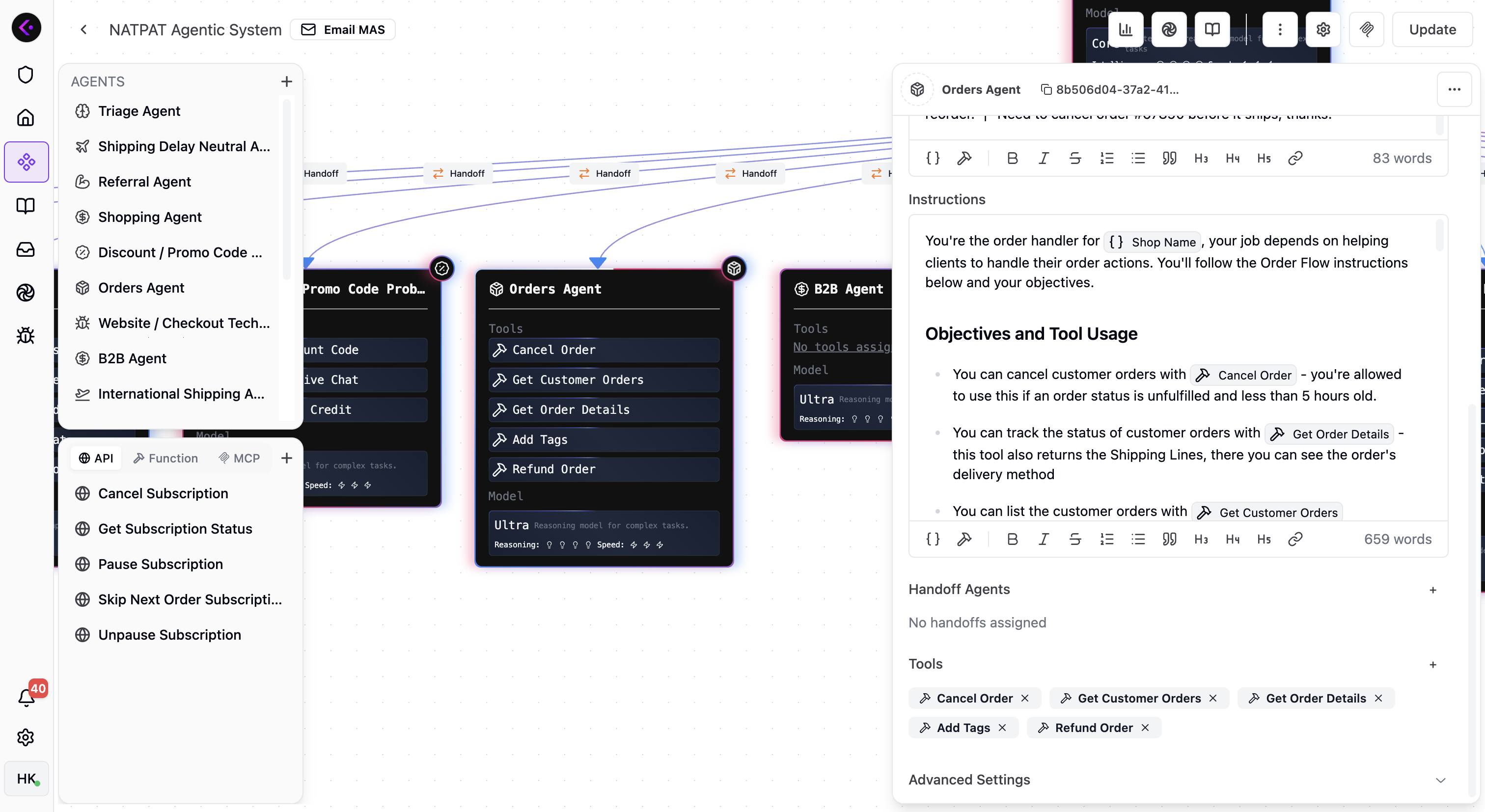
Let’s imagine!
To make this concrete, imagine you want to automate incoming customer emails for your store. After connecting your email account to Lookfor and creating an Email MAS, the next step is assembling your team of agents. Each agent focuses on a distinct topic area—order-related issues, product questions, wholesale inquiries, partnership requests, shipping problems, and more. Order-related emails (cancellations, address changes, tracking updates, returns, refunds, etc.) are often the most critical. In this case, creating an Orders Agent is a natural choice. This agent can be equipped with tools such as Get Customer Orders, Get Order Details, Cancel Order, Update Shipping Address, and Refund Order, giving it everything it needs to resolve order-related requests end-to-end. To multiply the effect of this agent you can also crate a Feedback Agent who asks for reviews when a customer really happy with the outcome, or you got the confirmation about you fixed their problems.NATPAT, a high-growth global Shopify brand, collects +100 positive reviews each month on Truspilot with a Feedback Agent. Read How lookfor helped NATPAT to achieve 91% resolution rate for details.
Creating agents
You can create an agent by simply setting the following configurations in the dashboard- Name – the name of the agent. You and LLM will see this name.
- Icon - Icon of the agent. It has no functional purpose but helps you identify the agent in dashboard.
- Handoff Description – The description allowing an agent to inform it’s parents about its capabilities and responsbilities. Parent reads description when it is on the duty and decides whether to handoff to this agent or not.
- Instructions – the system prompt that tells the agent who it is and how it should respond.
- Handoff Agents – a list of agents that the current agent can delegate to.
- Tools – a list of functions or APIs the model can invoke to accomplish a task. Depending on the type of the MAS, lookfor provides a set of useful tools for you to equip an agent of the MAS.
- Model Settings - The model settings of the agent. You can select the intelligence level, tool calling rules, and more.
Agents are equipped with a set of context. Context is a set of variables that are available to the agent. To learn more about context, see context.