

1. Web search
Allow agents to retrieve the latest information from the web when needed. To enable this, assign the Web Search tool to the agent so it can perform live searches when required.2. Knowledge base
Maintain and grow a curated knowledge base (e.g., FAQs, PDFs, products, collections, pages, blog articles) so agents can rely on validated sources instead of guessing.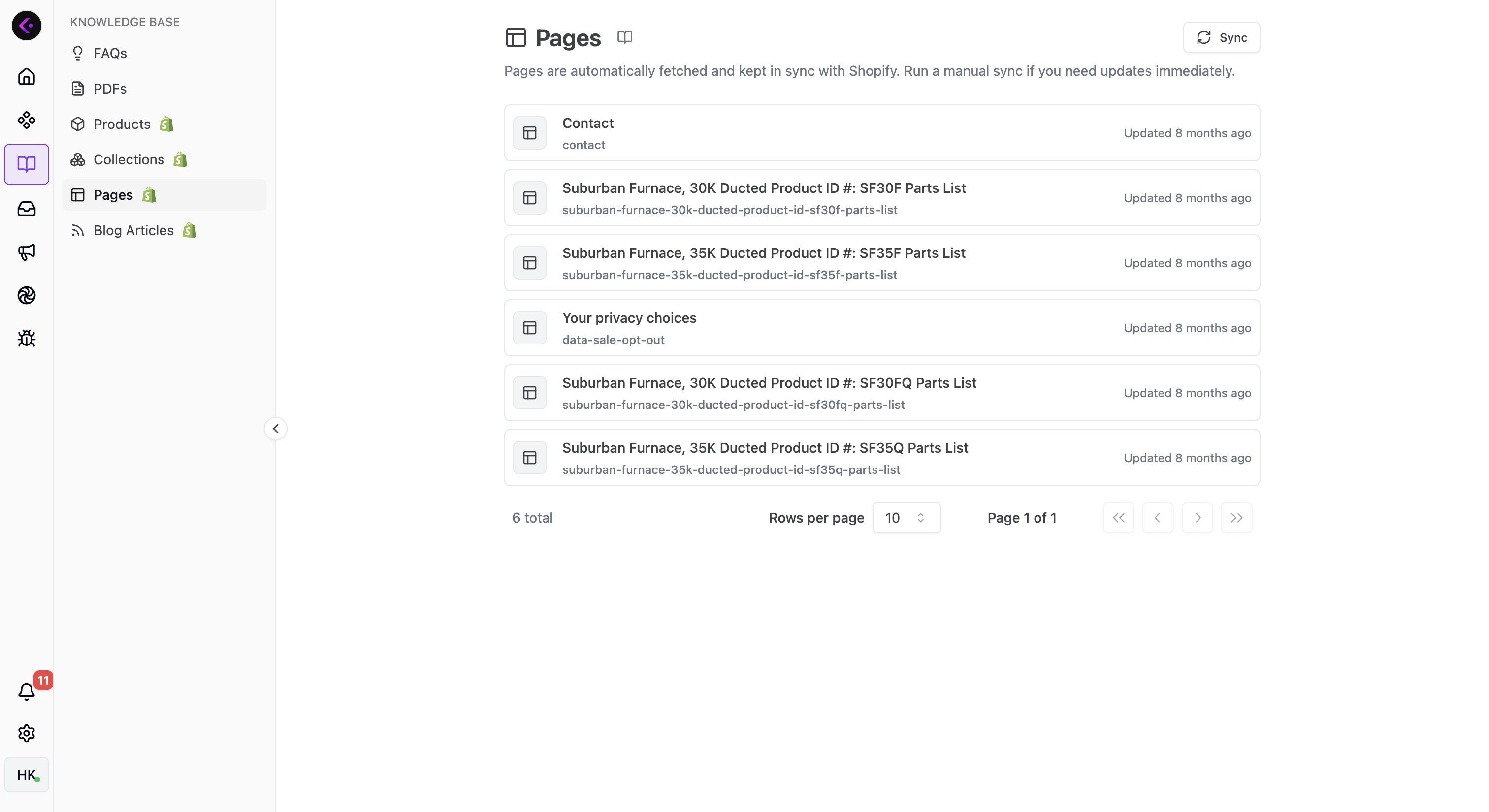
How knowledge is added and kept up to date
- FAQs and PDFs are added manually by merchants from the Shopify dashboard.
- Products and collections are synced automatically, and changes are reflected instantly—no manual interaction required.
- Pages and blog articles are synced automatically on a predefined schedule. If you want changes to be reflected immediately, click Sync on the Knowledge Base page.
Tools agents use to access knowledge
Get Related Knowledge Source: Lets agents search and retrieve relevant items across all knowledge types. If you want an agent to use your knowledge base, assign this tool to that agent.Get Recommended Products: Lets agents recommend products using your store’s products and collections. If you want an agent to make product recommendations, assign this tool to that agent.
Get Related Knowledge Source, Get Recommended Products, and Web Serach are pre-defined function tools and can be used across any MAS type.